Creating a comfortable and efficient home office is essential for anyone working remotely or managing tasks from home. A clutter-free, organized space not only reduces stress but also helps improve focus and productivity. In this article, we’ll explore practical tips to help you design a home office that is both functional and inviting.
Why an Organized Home Office Matters
Your home office should be a place where you can work efficiently without distractions. Clutter can be a major source of distraction, leading to lost time and decreased motivation. By organizing your office space thoughtfully, you create an environment that encourages concentration and creativity.
Assess Your Space and Needs
Evaluate Your Available Space
Start by looking at the area you plan to use for your home office. Whether it’s a separate room, a corner of the living room, or a nook near a window, understanding your space is crucial in planning an effective setup.
Identify Your Work Style
Consider the kind of work you do and what tools you need regularly. For example, if you handle a lot of paper documents, you might need filing cabinets. If your work involves multiple devices, adequate desk space and cable management become priorities.
Declutter Before You Organize
Sort Through Items
Remove anything that isn’t necessary for your daily work. Papers, office supplies, and gadgets that are broken or no longer useful should be discarded or stored elsewhere.
Create Categories
Group items into categories such as supplies, documents, electronics, and personal items. This makes it easier to find storage solutions and keep your workspace tidy.
Choose Functional Furniture
Invest in a Good Desk and Chair
Your desk should be spacious enough to hold your computer, notebooks, and other essentials. A comfortable ergonomic chair supports good posture, preventing discomfort during long work hours.
Use Storage Solutions
Shelves, drawer organizers, and filing cabinets can keep your items neatly stored and within reach. Vertical storage helps save floor space, making your office feel less cramped.
Keep Your Desk Surface Clear
Limit What Stays on Your Desk
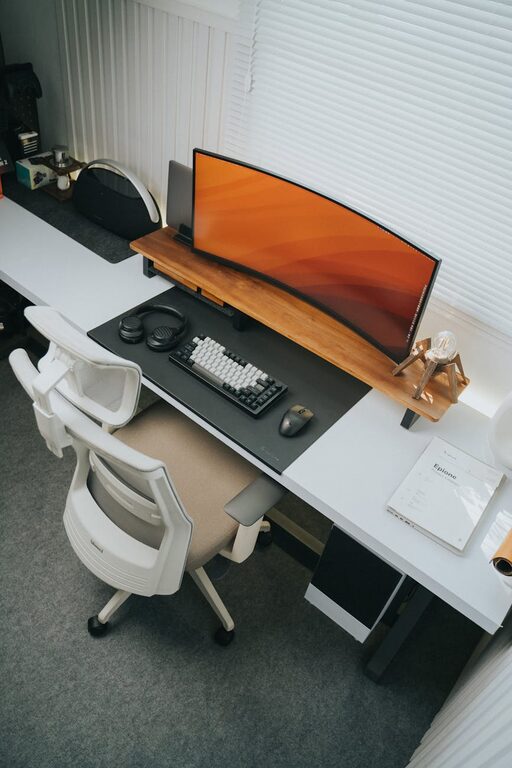
Only keep the essentials like your computer, a notepad, and a few pens on your desk. Avoid accumulating papers and miscellaneous items.
Use Desk Organizers
Trays, pen holders, and small baskets can keep smaller items organized and accessible without cluttering the surface.
Manage Cables and Technology
Cable Management Tools
Use cable clips, ties, or sleeves to bundle wires neatly. This not only improves the look of your workspace but also prevents tangling and accidents.
Position Equipment Thoughtfully
Place printers, chargers, and other equipment in designated spots that are convenient but do not interfere with your main working area.
Enhance Lighting and Ambience
Prioritize Natural Light
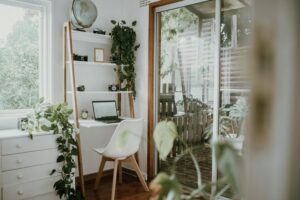
Position your desk near a window if possible. Natural light reduces eye strain and can boost mood.
Use Task Lighting
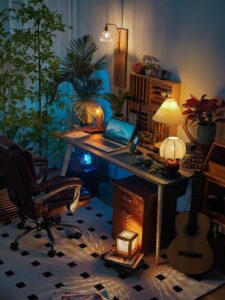
A desk lamp with adjustable brightness lets you work comfortably during evening hours or on cloudy days.
Add Personal Touches
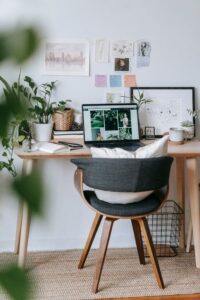
Plants, artwork, or a favorite mug can make your home office feel inviting while keeping distractions minimal.
Establish Daily Habits for Maintenance
End Your Day with Tidying
Spend a few minutes clearing your desk and putting things away. This habit prevents clutter from building up.
Plan Regular Deep Cleans
Schedule times weekly or monthly to sort through papers, dust, and reorganize as needed.
Leverage Digital Organization
Go Paperless When Possible
Use digital documents and cloud storage to reduce physical piles of paper.
Use Productivity Apps
Organizing your tasks and schedule digitally can complement your tidy physical workspace.
—
Creating an organized, clutter-free home office is achievable with intentional planning and consistent habits. By following these tips, you can enjoy a productive and pleasant work environment right at home. Your workspace should support your workflow and wellbeing, so tailor these suggestions to fit your personal needs and preferences.